
Connect Telegram
Anello delivers bot alerts through one shared Anello bot on Telegram. You don’t create anything. You select Telegram in Notifications, it opens a chat with the bot, you press Start, and that chat is linked to your account.
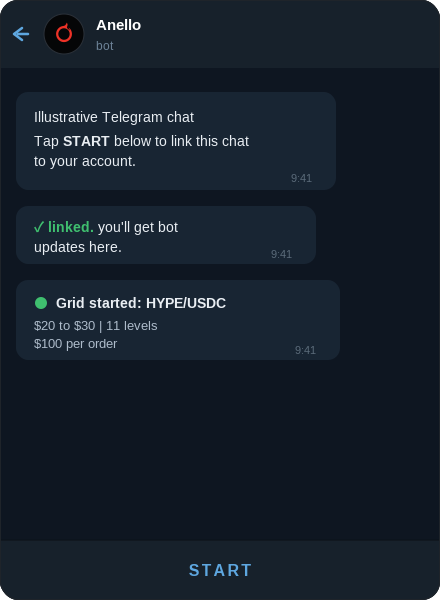
Link your chat
Section titled “Link your chat”-
In Anello, open Notifications and select the Telegram row. Anello generates a one-time link like:
https://t.me/<bot_username>?start=Xy7… -
Open the link. Telegram launches a chat with the Anello bot and shows a Start button along the bottom.
-
Tap Start. Telegram sends
/startplus the one-time code to the bot. -
The bot replies in the chat:
✅ linked. you’ll get bot updates here.
That’s it. Alerts now arrive in this chat.
The flow at a glance
Section titled “The flow at a glance”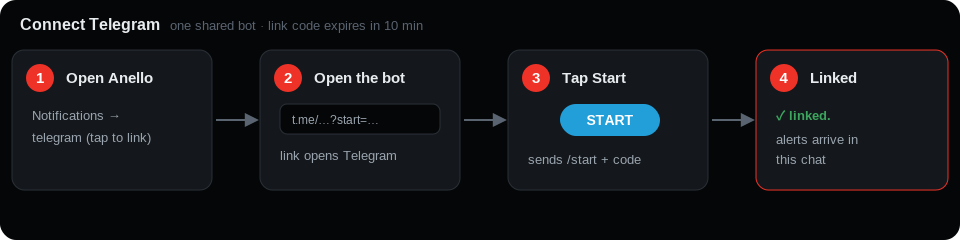
How it works
Section titled “How it works”The start= value is a short-lived token tied to your Anello account. When you tap Start, Telegram tells the bot which chat you’re messaging from; the bot matches the code to your account and stores that chat as your alert target. The code is single-use and discarded the moment you link.
Bot alerts are on by default. Deposit alerts are opt-in. Choose events for each channel in Notifications, then select Save. Alerts include:
- Bot started / Bot stopped
- Re-post restored
- Order filled / Order partially filled
- Order canceled by you on the exchange
- Grid needs attention / Grid recovered
- DCA purchase filled / failed / schedule completed
- Agent wallet expiry warning
- Anello announcements
- Deposits (opt-in)
Delivery is best-effort: if Telegram is briefly unreachable, that one alert is dropped rather than retried.
Bot commands
Section titled “Bot commands”In the chat with the Anello bot:
/start: link this chat (use the link from Anello so it carries your code)./disconnect: unlink this chat; Anello stops sending here./help: show the command list.
Disconnect
Section titled “Disconnect”Send /disconnect to the bot, or select the connected Telegram row in Notifications and confirm Disconnect. Either one stops delivery; reconnect any time with a fresh link.